
Open a typical small business website on your phone, on mobile data, and count how long you wait. If it’s more than a few seconds, you’ve found one of the quiet reasons sites lose visitors. And more often than not, the culprit isn’t some mysterious technical fault. It’s pictures, which is why image SEO is such a good place to start.
Photos straight off a phone or camera can be several megabytes each, and a page with a handful of them can weigh more than the rest of the site put together. The fix is straightforward, and it helps both your visitors and your search performance.
Why image SEO and speed matter
Page experience is one of the signals Google considers, and the Core Web Vitals measure things like how fast the main content appears. But rankings aside, slow pages are annoying, and people leave. On a phone with patchy reception, every extra second costs you visitors. Faster pages tend to keep people reading, enquiring and buying. Google also publishes its own image best practices if you want the official view.
Step 1: Resize before you upload
A common mistake is uploading a 5,000-pixel-wide photo and displaying it in a 700-pixel column. The browser still downloads the whole thing. Before uploading, resize images to roughly the largest size they’ll be shown at. For most blog and content areas, 1,200 to 1,600 pixels wide is plenty. Full-width hero images may need a bit more, but rarely beyond about 2,000.
Step 2: Compress them
Compression shrinks the file size, usually with no visible difference. You can do it before uploading with a free tool, or let a WordPress plugin do it automatically when you upload. Aim to keep most images under about 150 to 200 kilobytes where possible. Photos can be saved at a moderate quality setting, and you’ll rarely notice the difference.
Step 3: Choose the right format
- JPEG: good for photos
- PNG: good for graphics with sharp edges or transparency, but can be large for photos
- WebP and AVIF: modern formats that are often much smaller at similar quality, supported by current browsers. Many WordPress sites can serve these automatically or via a plugin
- SVG: ideal for logos and simple icons, because they stay sharp at any size and are tiny
Step 4: Name files sensibly
Before uploading, rename IMG_4532.jpg to something descriptive like electrician-switchboard-upgrade-geelong.jpg. Use lowercase words separated by hyphens. It helps search engines understand the picture and keeps your media library tidy. It’s a small thing, but it takes seconds.
Step 5: Write useful alt text
Alt text describes an image for people who can’t see it, such as those using screen readers, and for search engines. Describe what’s actually in the picture in a short, plain sentence, and include relevant words only where they fit naturally. For example: Electrician replacing a circuit breaker in a home switchboard. Don’t stuff keywords, and leave it empty only for purely decorative images.
Step 6: Lazy load images below the fold
Lazy loading means images further down the page only load when the visitor scrolls near them. WordPress does this by default for most images these days. The exception is your main image at the very top of the page. That one should load straight away, so make sure it isn’t being delayed.
Step 7: Set width and height
If a browser doesn’t know how big an image will be, the page can jump around as it loads, which is annoying and counts against you in the layout stability measure. WordPress normally adds the dimensions for you. If you’re adding images by hand or through a page builder, make sure they’re included.
Beyond images: other quick wins
- Caching. A caching plugin or your host’s built-in cache serves pages faster to repeat visitors.
- Lightweight theme. Heavy multipurpose themes and page builders can add a lot of weight. A lean theme helps.
- Fewer plugins. Every plugin can add scripts. Remove any you don’t use.
- Good hosting. Cheap, overloaded hosting can undo all your hard work. Choose a host with servers reasonably close to your Australian audience.
- Limit embeds. Videos, maps and social feeds can be heavy. Consider loading them only when someone clicks.
For the wider picture on crawling, indexing and performance, see our technical SEO basics.
Test and measure
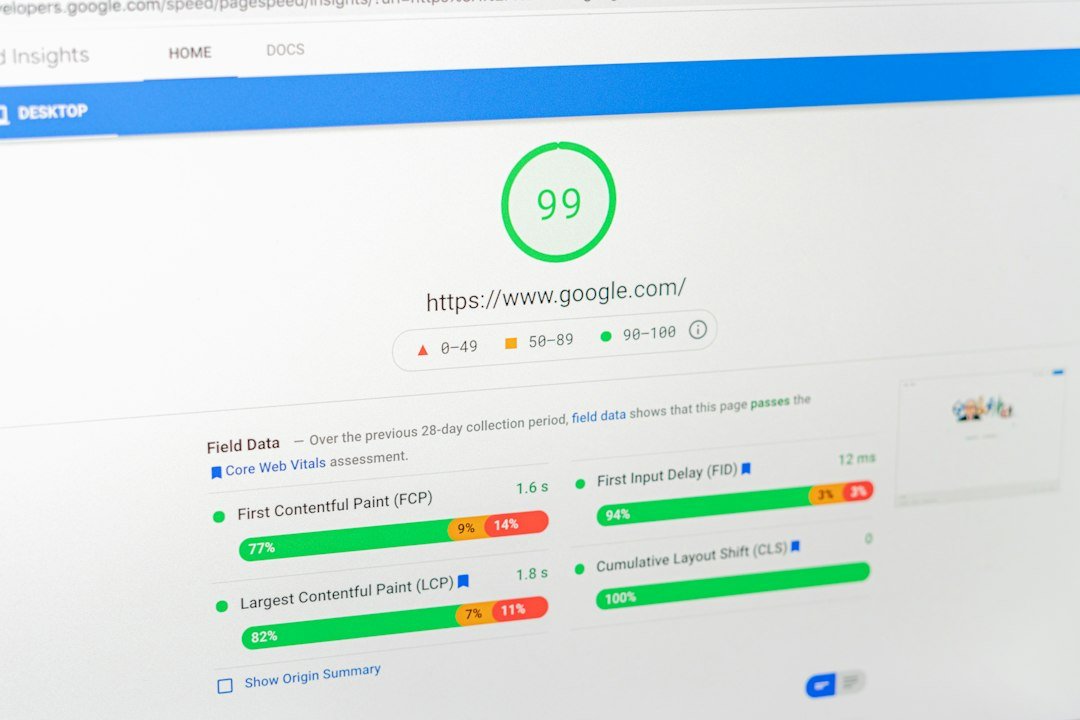
Run key pages through a speed test like Google’s PageSpeed Insights before and after making changes, and look at the mobile results. Don’t chase a perfect score. Focus on the specific items it flags as biggest, usually images, and re-test. Search Console’s experience reports show how real visitors experience your site over time.
The short version
Resize, compress, name, describe and lazy load. If you build those five habits into how you add images, your pages will load noticeably faster, your visitors will be happier, and you’ll have removed one of the most common technical problems in one go. If you’re starting a new site, pair this with our new website SEO checklist.